Backup
Rusticlone groups rustic profiles in collections.
A collection is made of a backup profile (the one with [[backup.snapshots]]) plus all the profiles it lists in [copy] targets.
The repository of the backup profile (often located in a separate disk or LAN mount) is considered the primary: snapshots go there first, then they are copied to each target repository. This means that your source files are only read once, and that each repository contains a copy of them. Each repository is independent of the others and can autonomously restore your files to their original location.
As an example, these two profiles make the collection Documents:
Documents-hdd.toml
# files to back up
[[backup.snapshots]]
sources = ["/home/jack/Documents"]

# primary backup destination
[repository]
repository = "/mnt/hdd/backups/Documents"
password = "XXXXXX"

# secondary backup destination(s)
[copy]
targets = ["Documents-b2"]

# snapshots retention policy
[forget]
keep-last = 10
keep-daily = 7
keep-monthly = 12

# schedules and notifications
[global.env]
RUSTICLONE_BACKUP_CRON="@daily"
RUSTICLONE_CHECK_CRON="@weekly"
RUSTICLONE_CHECK_SUBSETS="4"
RUSTICLONE_PRUNE_CRON="@monthly"
RUSTICLONE_NOTIFY_URLS="ntfy://my-secret-backup-topic"
Documents-b2.toml
# secondary backup destination
[repository]
repository = "opendal:b2"
password = "XXXXXX"

[repository.options]
bucket = "my-backups"
bucket_id = "XXXXXX"
application_key_id = "XXXXXX"
application_key = "XXXXXX"
root = "/Documents"

# limited check operations to reduce download costs
[global.env]
RUSTICLONE_CHECK_CRON="@weekly"
RUSTICLONE_CHECK_SUBSETS="50"
rusticlone backup --collection Documents snapshots the sources to the primary repository, copies the new snapshot to Documents-b2, then marks old snapshots for deletion in each repository according to its [forget] policy.
For safety, the primary forgets only after every target has received the copy.
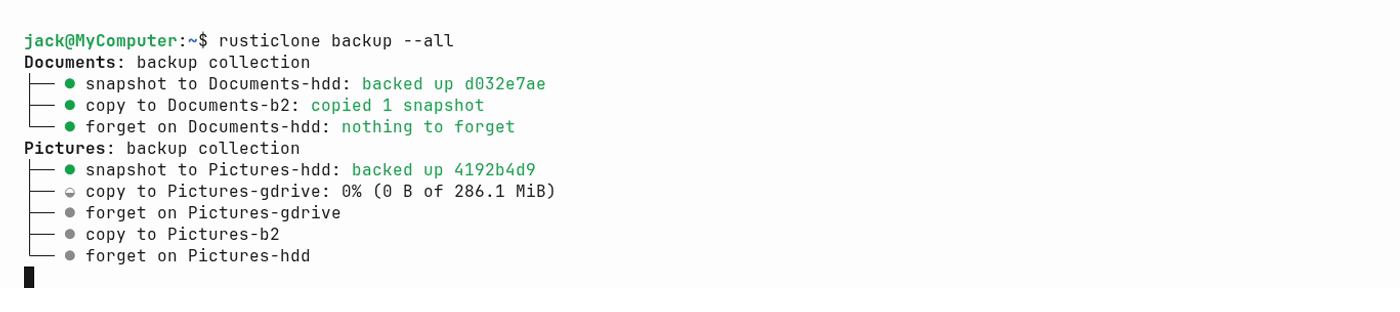
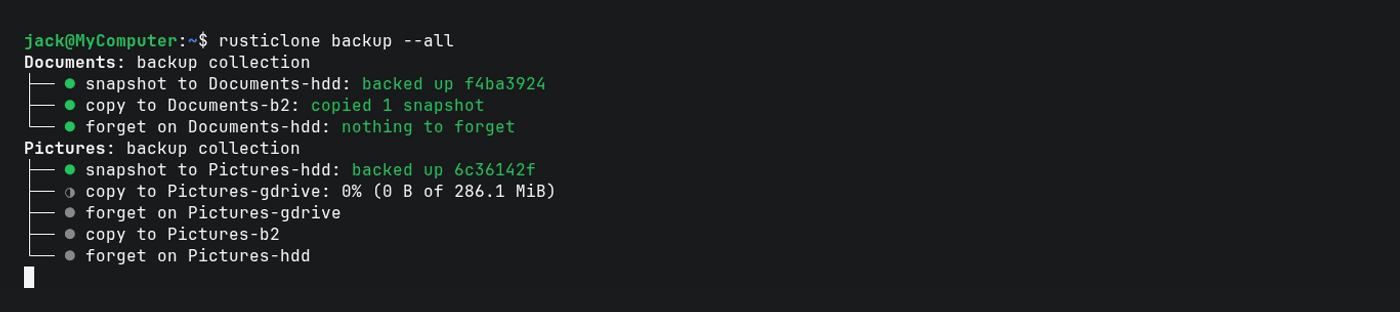
For extra safety, one of your copy targets can be, like Documents-b2, a repository on an air-gapped device (unmounted HDD) or an immutable endpoint (blob storage with Object Lock, or an append-only REST server).
This will give you the second 1 in the 3-2-1-1-0 backup strategy.
On Windows, Microsoft Defender scans every file that rustic reads and writes. In our tests, this made backups 1.5 times slower and restores almost 3 times slower. To avoid this, run this once in a PowerShell opened as administrator:
Add-MpPreference -ExclusionProcess rustic.exe
Snapshots
A snapshot is not a full copy of your files, but a record of what has changed since the last backup:
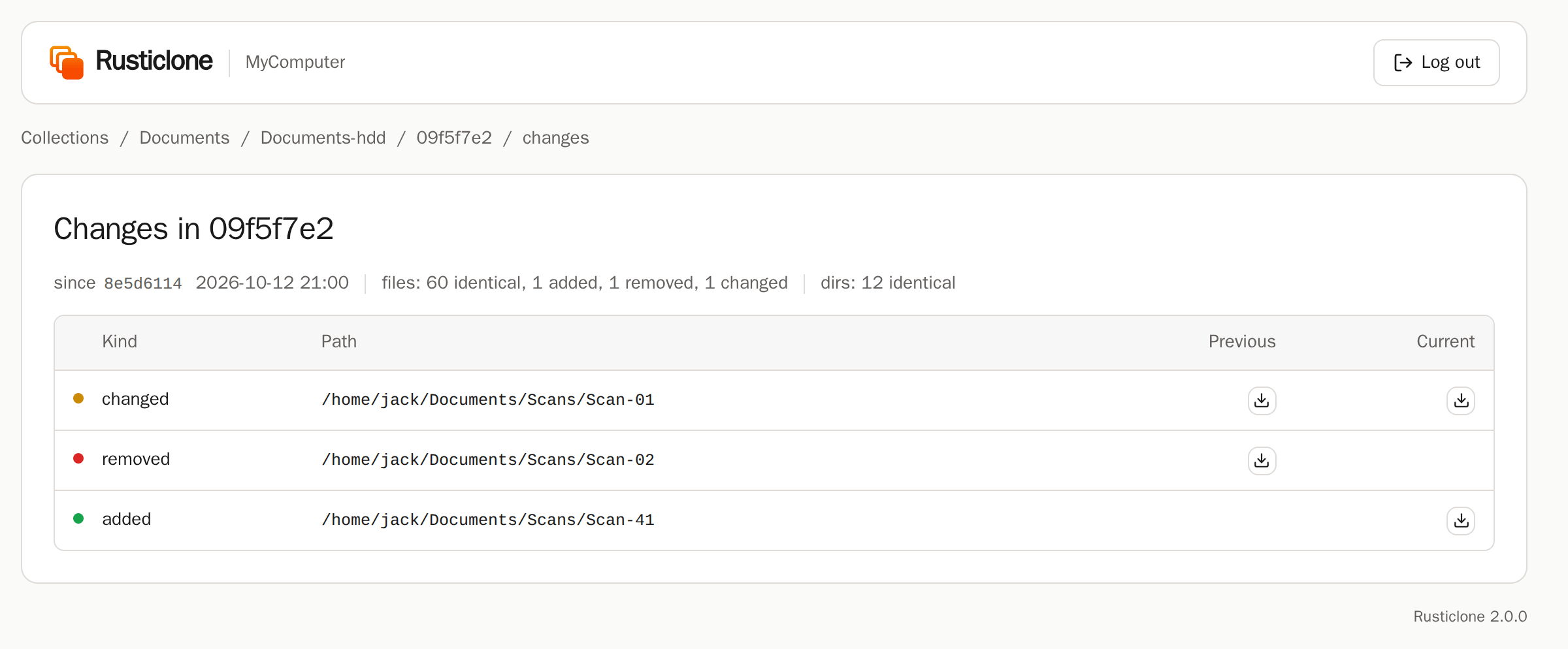
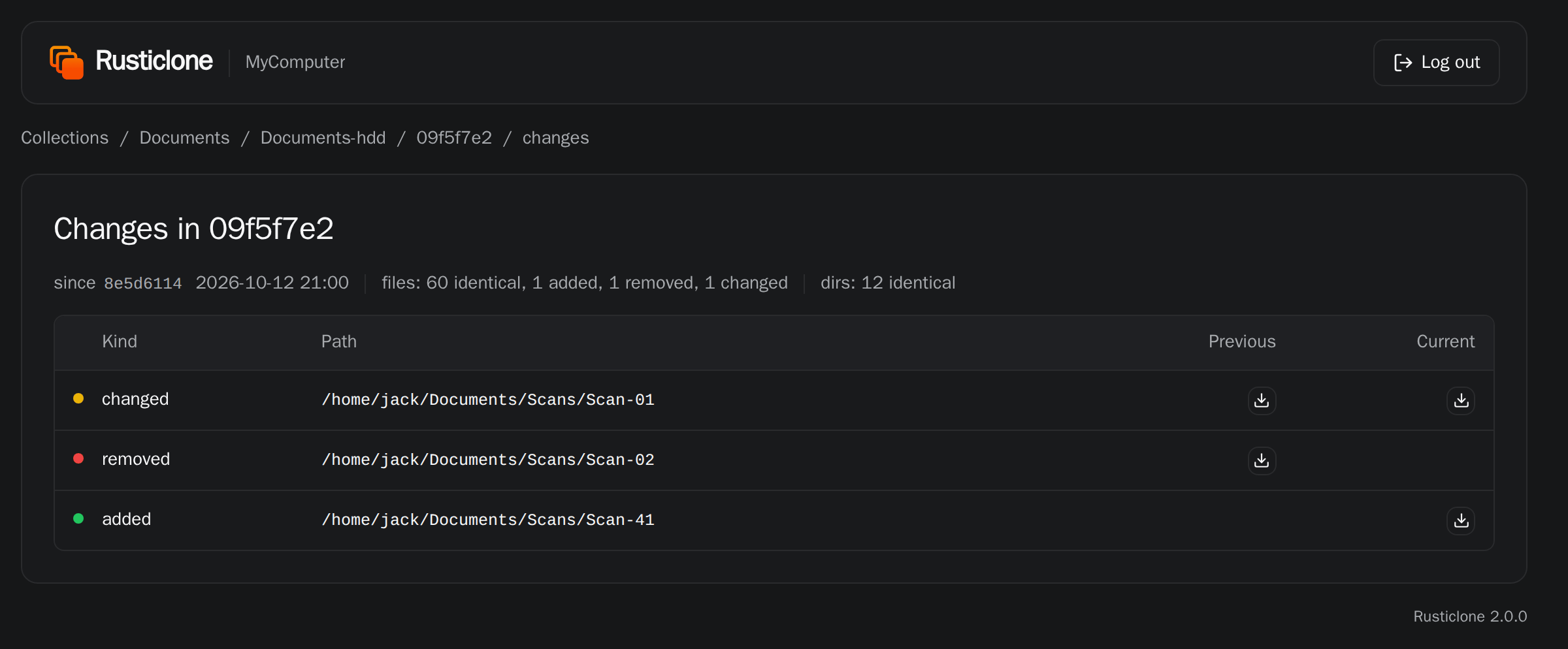
That’s why only the first snapshot is large, and backups are much faster from the second one onwards.