Rusticlone
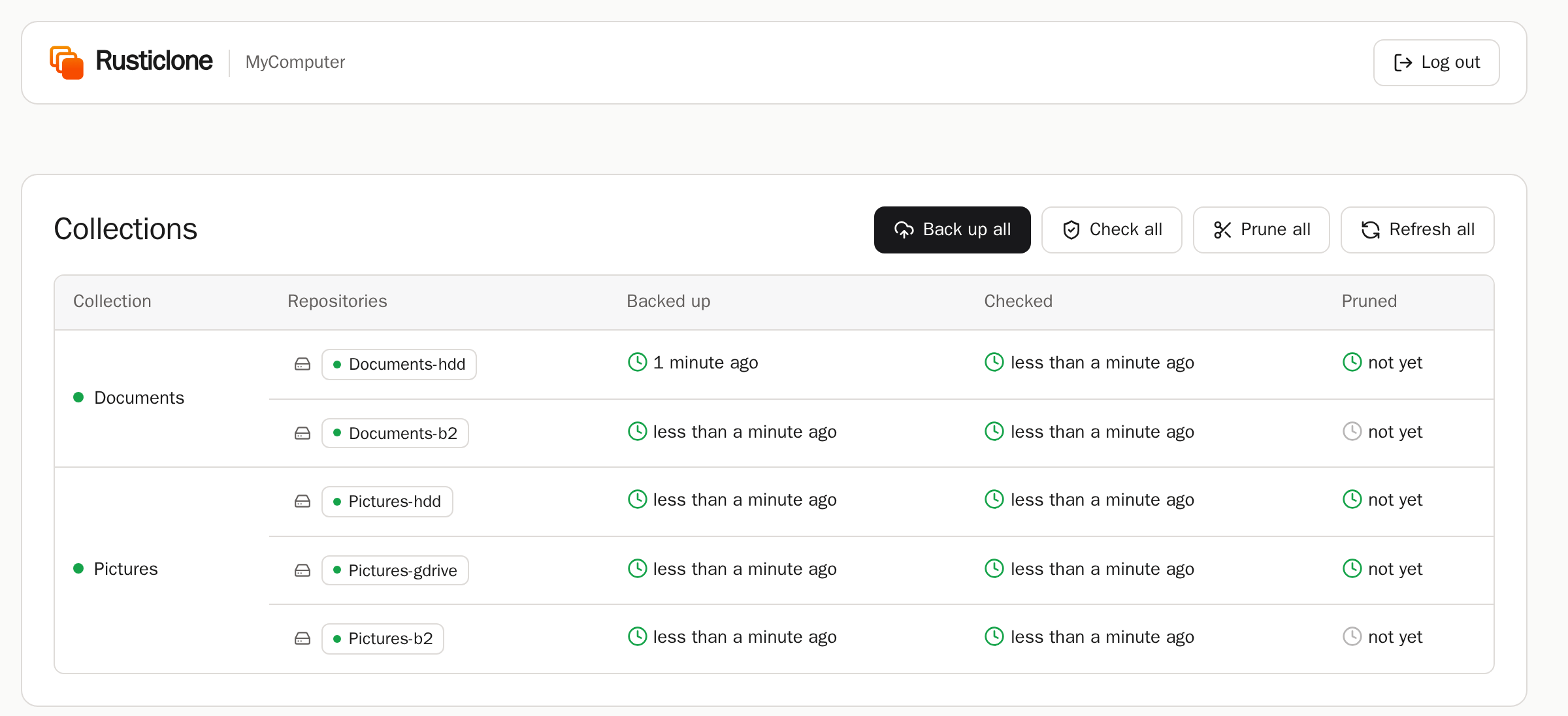
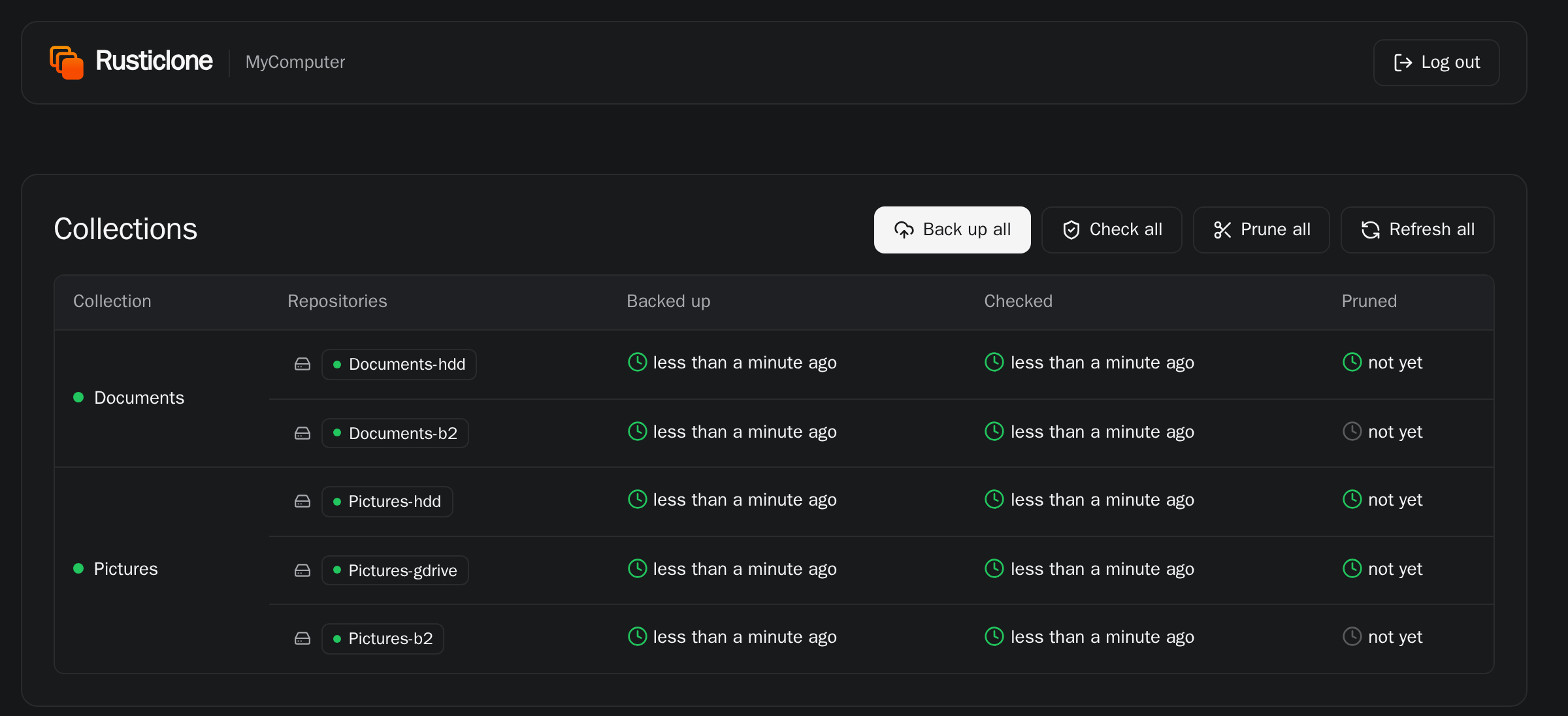
Rusticlone backs up your desktops and servers on a schedule, sends copies to separate locations and warns you when something needs your attention. It is based on rustic and it makes it easy to implement a 3-2-1-1-0 backup strategy.
Philosophy
- Zero lock-in: your backups are interoperable with rustic, restic and its ecosystem
- Simple mental model: back up (snapshot) your files to a repository, copy that snapshot to other repositories, and mark old snapshots for deletion
- Set and forget with minimal effort: add 2 lines to your existing rustic profiles and you are good to go
- Lightweight and accessible: one small binary that you can run from the command line, from your desktop tray or as a web app
- Quiet and reliable: it notifies you only when there are issues, not at every run
Start with Install, then Getting started.
Install
Windows
One-line installer for PowerShell:
irm https://github.com/AlphaJack/rusticlone/releases/latest/download/rusticlone-installer.ps1 | iex; & "$HOME\.cargo\bin\rusticlone.exe" install --auto-update
WinGet:
winget install AlphaJack.Rusticlone
Scoop:
scoop bucket add alphajack https://github.com/AlphaJack/scoop-bucket
scoop install alphajack/rusticlone
Chocolatey:
choco install rusticlone
macOS
One-line installer:
curl -LsSf https://github.com/AlphaJack/rusticlone/releases/latest/download/rusticlone-installer.sh | sh && $HOME/.cargo/bin/rusticlone install --auto-update
Homebrew:
brew install AlphaJack/tap/rusticlone
nix-darwin and Home Manager: see Nix
Linux
One-line installer:
curl -LsSf https://github.com/AlphaJack/rusticlone/releases/latest/download/rusticlone-installer.sh | sh && $HOME/.cargo/bin/rusticlone install --auto-update
Arch Linux (AUR):
yay -S rusticlone-bin
Homebrew:
brew install AlphaJack/tap/rusticlone
NixOS and Home Manager: see Nix
Docker and Podman: see Container image
Any OS
Cargo:
cargo binstall rusticlone
Manual installation: GitHub release binaries
Getting started
Run rusticlone serve --open to create your first rustic profiles from the web UI.
Rusticlone will offer to download rustic from GitHub if it’s not already installed on your system.
Profiles are simple .toml files that contain the information about what folders you back up, where you back them up, and with which password.
Keep a copy of them away from the computer (e.g. password manager, cloud drive, private git repo), as you’ll need them to restore your files in case of a disaster.
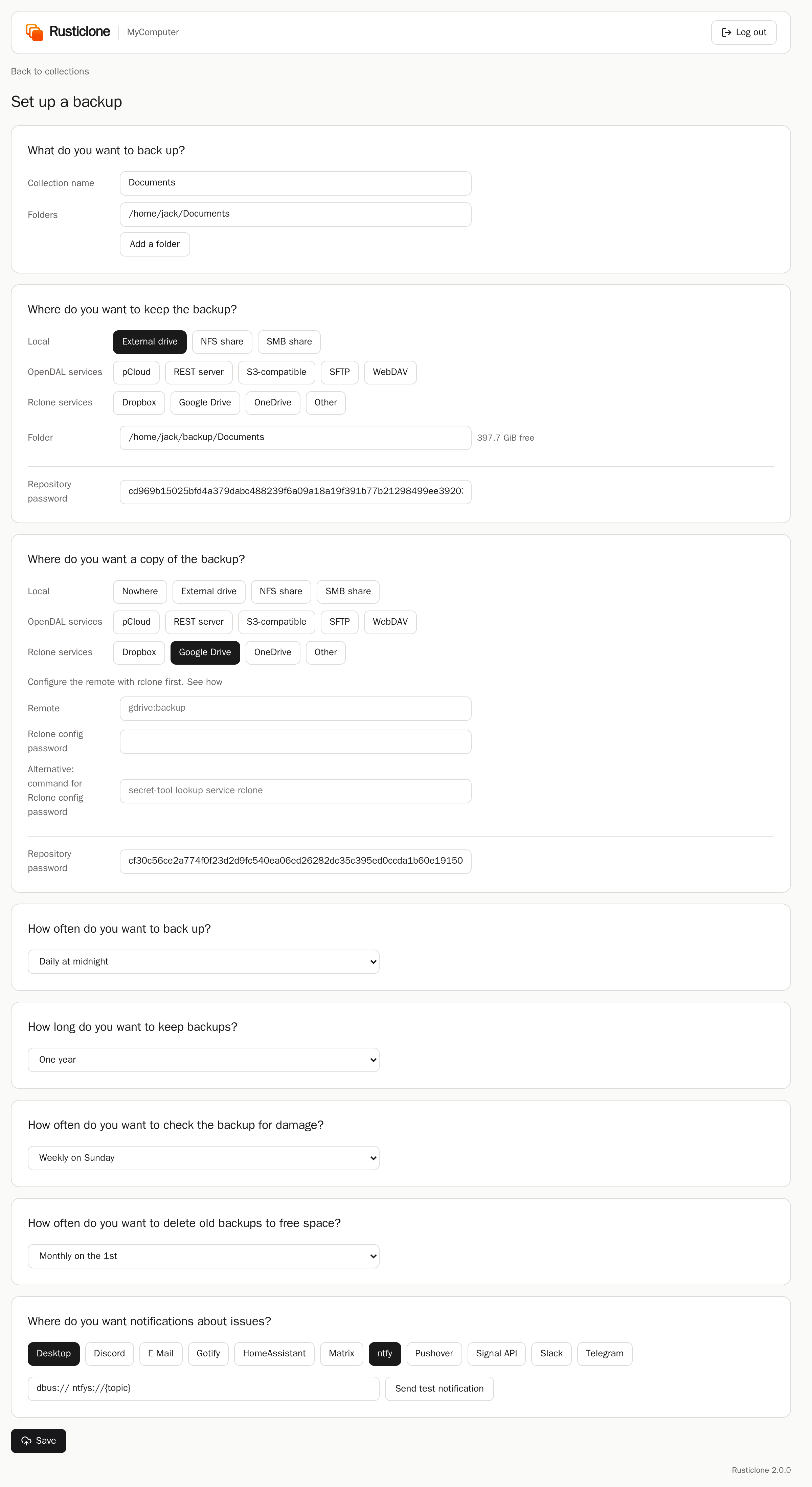
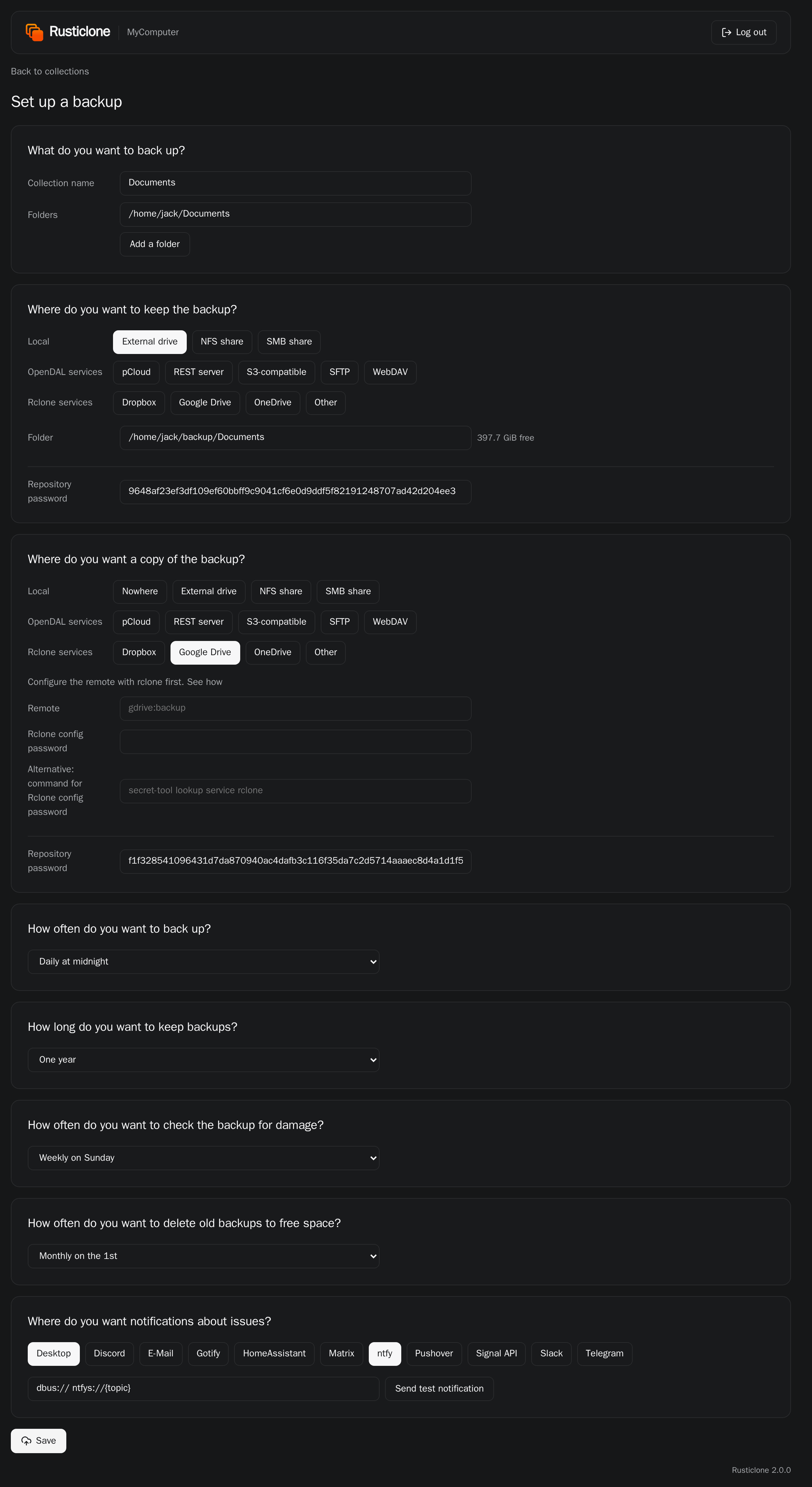
If you already use rustic, just add these environment variables to your profiles and launch the server with the same command:
[global.env]
# when to take snapshots, copy them to other repositories, and mark old ones for deletion
RUSTICLONE_BACKUP_CRON="@daily"
# when to check data consistency and how much
RUSTICLONE_CHECK_CRON="@weekly"
RUSTICLONE_CHECK_SUBSETS="10"
# when to remove old snapshots
RUSTICLONE_PRUNE_CRON="@monthly"
# where to notify about issues (Apprise format, space separated)
RUSTICLONE_NOTIFY_URLS="dbus:// ntfy://ntfy.sh/mybackups"
For scheduled backups, you need to start Rusticlone on boot or user login. You can do so by running rusticlone install as a admin or regular user.
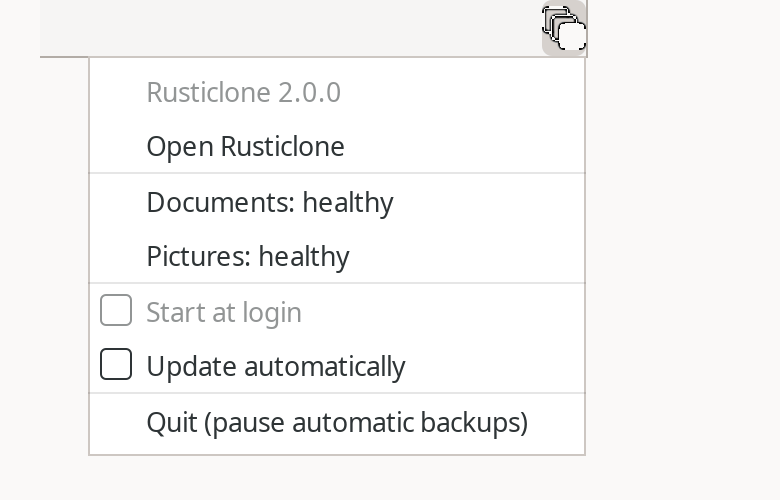
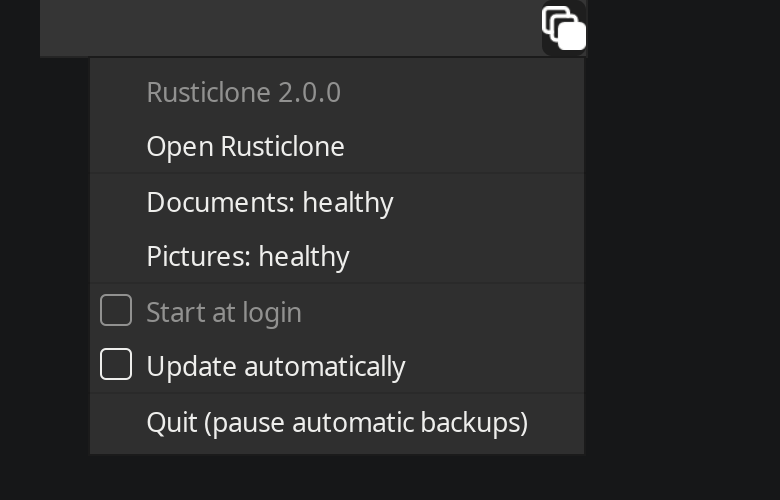
This will also make the app visible in the start menu or app library, and add a tray icon when it’s running as regular user.
It will also create a configuration file based on your system.
How it works
rusticlone --help lists all commands and possible options, also listed in Commands.
Under the hood, rusticlone launches rustic subcommands directly. From the web app, you can see which rustic command and arguments were used for each operation.
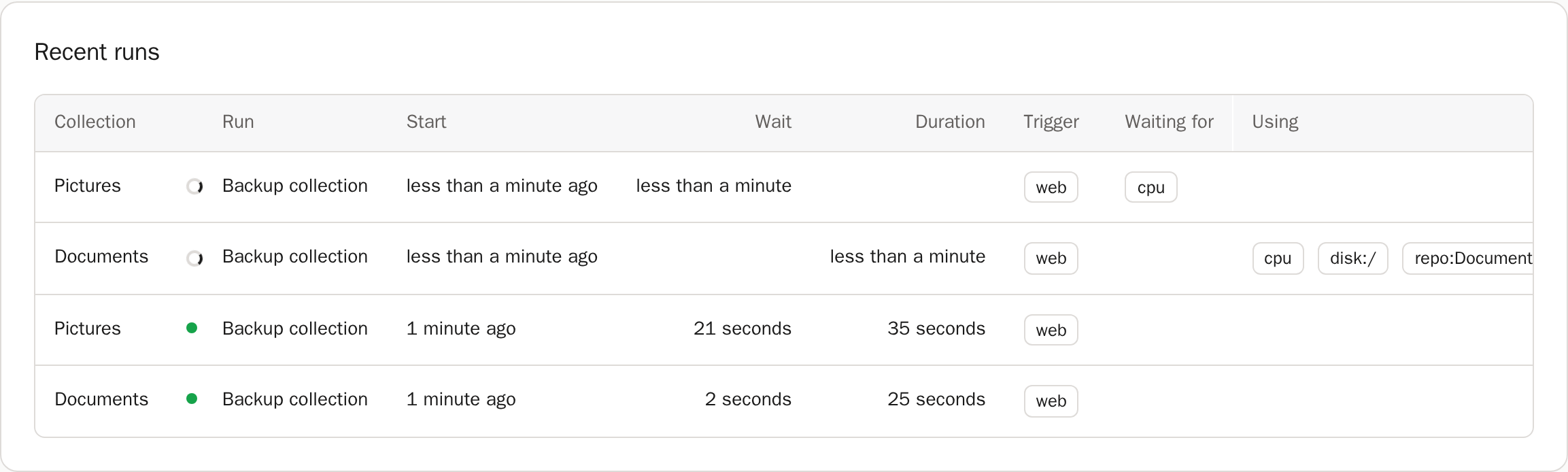
Each step that rusticlone performs needs one or more resources: CPU, disk, upload or download bandwidth, or exclusive repository access.
The internal scheduler ensures that each resource is used by one step at a time and released as soon as a step finishes.
Commands, the server and its schedule can run at the same time: each run waits for the disk, network link or CPU that another holds.


Rusticlone state is meant to be disposable, as the source of truth for your backups remains your repositories. See Folders for where it lives.
Rusticlone can be configured through environment variables (reference list), set in its configuration file. They are read at start: restart Rusticlone after editing its configuration file.
Settings for individual collections or repositories are variables in the [global.env] section of rustic profiles.
They can be shared across profiles by using the [global] use-profiles feature.
Rusticlone looks for profiles in the same folders as rustic, and in the working directory.
Backup
Rusticlone groups rustic profiles in collections.
A collection is made of a backup profile (the one with [[backup.snapshots]]) plus all the profiles it lists in [copy] targets.
The repository of the backup profile (often located in a separate disk or LAN mount) is considered the primary: snapshots go there first, then they are copied to each target repository. This means that your source files are only read once, and that each repository contains a copy of them. Each repository is independent of the others and can autonomously restore your files to their original location.
As an example, these two profiles make the collection Documents:
Documents-hdd.toml
# files to back up
[[backup.snapshots]]
sources = ["/home/jack/Documents"]

# primary backup destination
[repository]
repository = "/mnt/hdd/backups/Documents"
password = "XXXXXX"

# secondary backup destination(s)
[copy]
targets = ["Documents-b2"]

# snapshots retention policy
[forget]
keep-last = 10
keep-daily = 7
keep-monthly = 12

# schedules and notifications
[global.env]
RUSTICLONE_BACKUP_CRON="@daily"
RUSTICLONE_CHECK_CRON="@weekly"
RUSTICLONE_CHECK_SUBSETS="4"
RUSTICLONE_PRUNE_CRON="@monthly"
RUSTICLONE_NOTIFY_URLS="ntfy://my-secret-backup-topic"
Documents-b2.toml
# secondary backup destination
[repository]
repository = "opendal:b2"
password = "XXXXXX"

[repository.options]
bucket = "my-backups"
bucket_id = "XXXXXX"
application_key_id = "XXXXXX"
application_key = "XXXXXX"
root = "/Documents"

# limited check operations to reduce download costs
[global.env]
RUSTICLONE_CHECK_CRON="@weekly"
RUSTICLONE_CHECK_SUBSETS="50"
rusticlone backup --collection Documents snapshots the sources to the primary repository, copies the new snapshot to Documents-b2, then marks old snapshots for deletion in each repository according to its [forget] policy.
For safety, the primary forgets only after every target has received the copy.
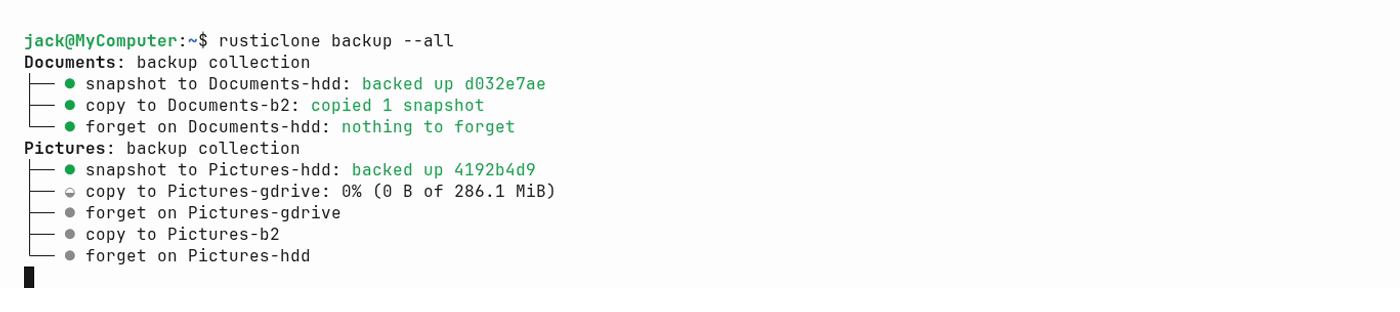
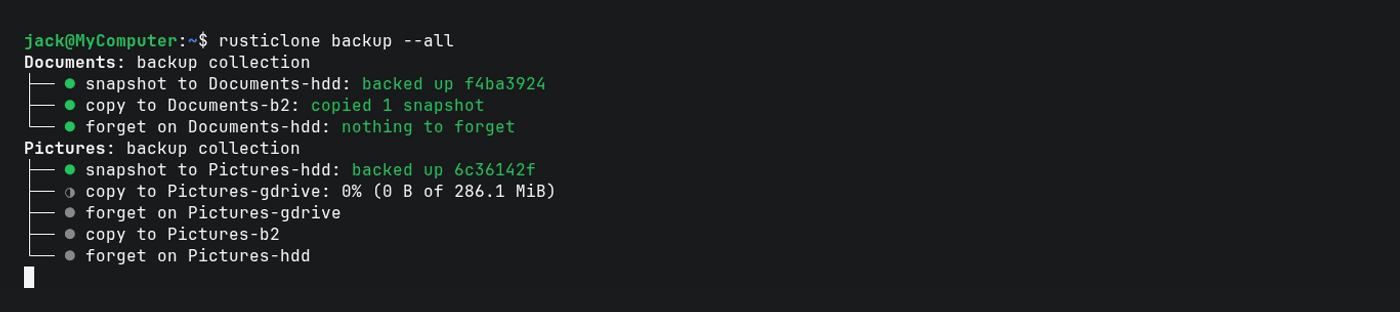
For extra safety, one of your copy targets can be, like Documents-b2, a repository on an air-gapped device (unmounted HDD) or an immutable endpoint (blob storage with Object Lock, or an append-only REST server).
This will give you the second 1 in the 3-2-1-1-0 backup strategy.
On Windows, Microsoft Defender scans every file that rustic reads and writes. In our tests, this made backups 1.5 times slower and restores almost 3 times slower. To avoid this, run this once in a PowerShell opened as administrator:
Add-MpPreference -ExclusionProcess rustic.exe
Snapshots
A snapshot is not a full copy of your files, but a record of what has changed since the last backup:
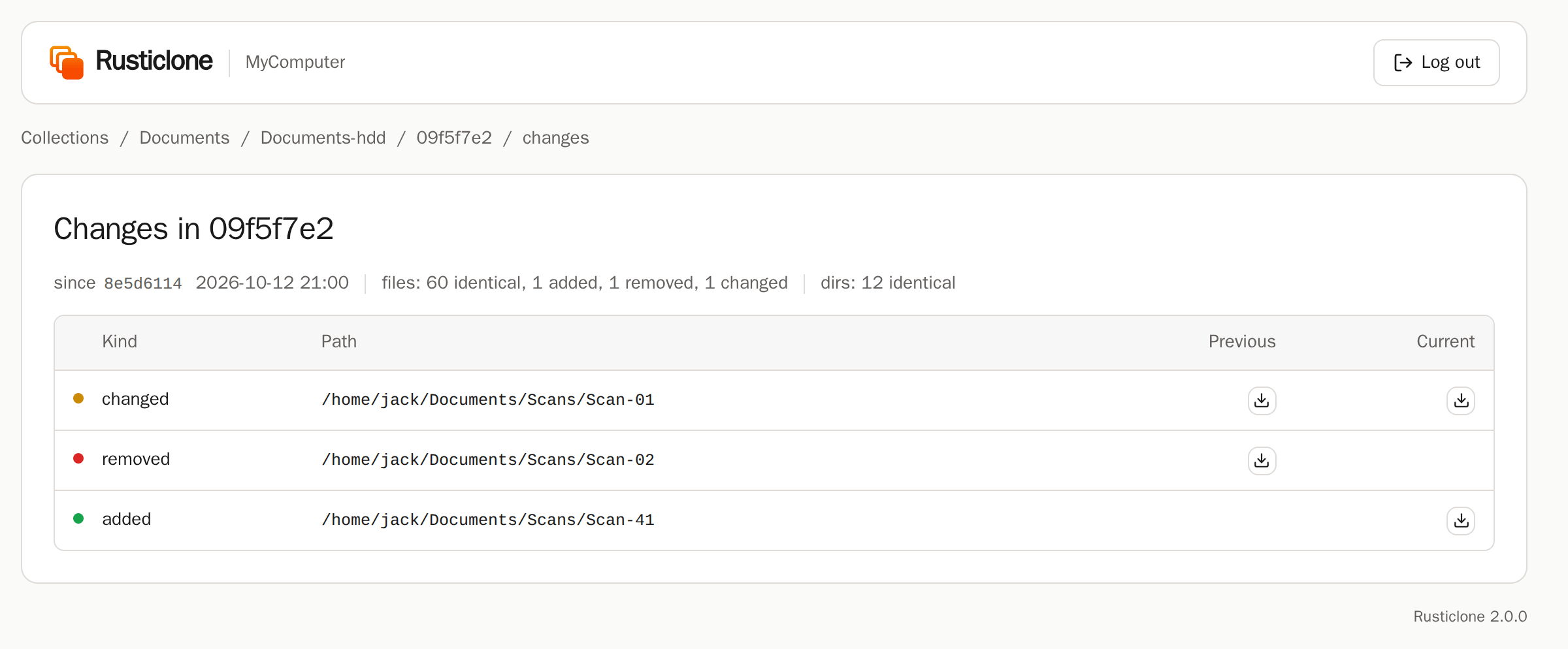
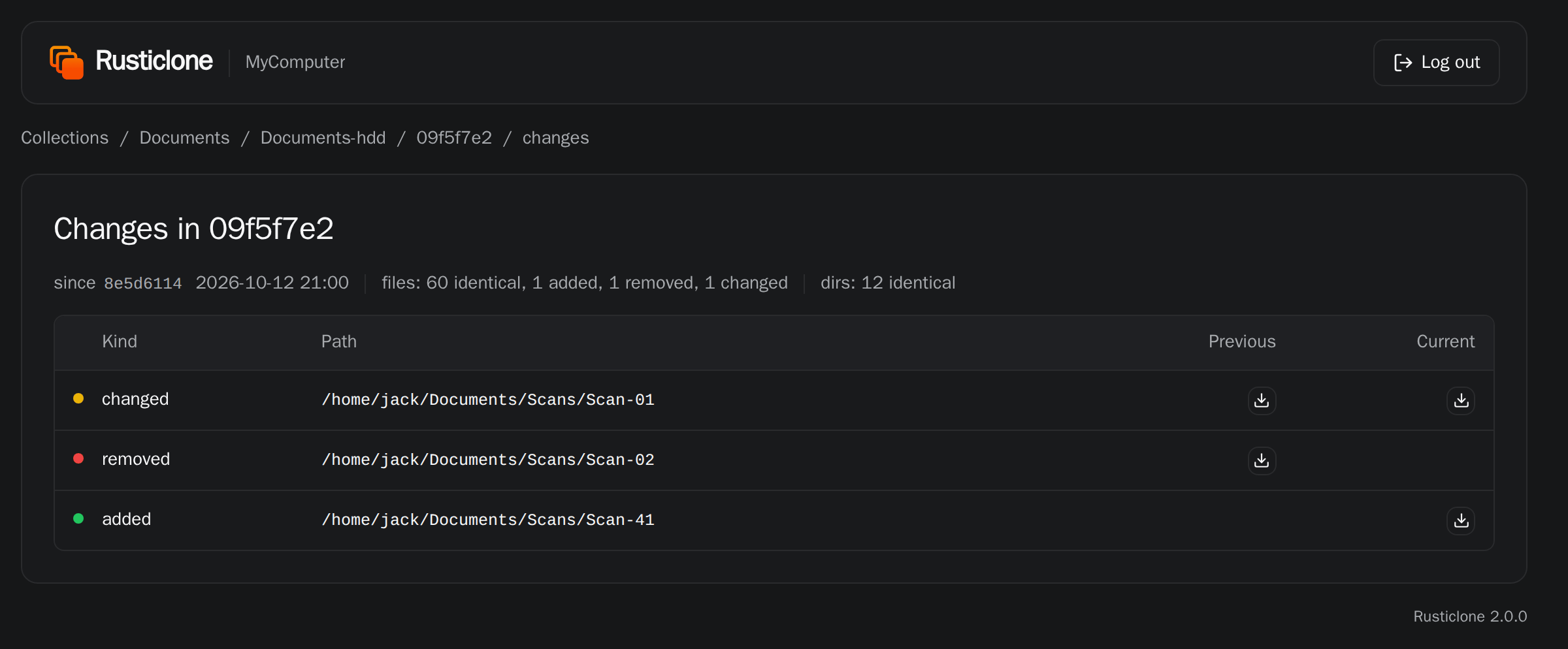
That’s why only the first snapshot is large, and backups are much faster from the second one onwards.
Checks
rusticlone check --collection Documents runs a data consistency check on each repository of the collection.
By default, 1/10th of each repo is checked every time and Rusticlone remembers which subset is due next, so with 10 runs it covers the entire repo.
If a subset is failing, it will not advance to the next subset, and will notify you of the issue.


The RUSTICLONE_CHECK_SUBSETS variable also accepts 0 for fast metadata-only checks, and values like “10MiB” or “10%” for random subsets.
Repositories in the same collection can have separate check schedules.
Pruning old snapshots
rusticlone prune --collection Documents deletes files of snapshots marked for deletion.


As this can be a slow operation, its schedule is independent of the backup and check ones. Like checks, repositories in the same collection can have separate prune schedules.
A repository without keep-* options in [forget] won’t be pruned by Rusticlone (ideal for Object Lock or append-only repositories).
Run what is due
rusticlone due --collection Documents runs whatever is past due for the collection according to its repo schedules.
This means you can run overdue backups, checks and prunes without spinning up the server or running each command individually.


Notifications
Notifications are only sent when a collection’s status changes (like Uptime Kuma up/down), not at every run.

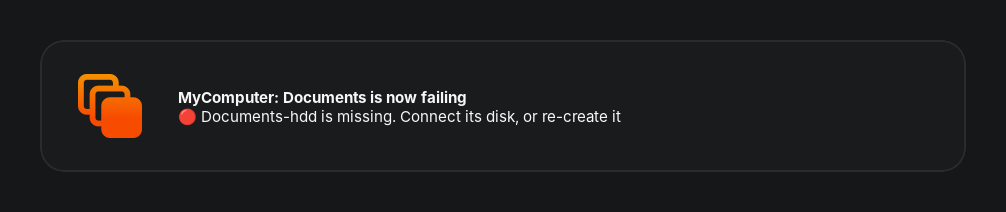
If you’d rather receive a notification at every backup operation, you can use rustic hooks in your profiles.
The RUSTICLONE_NOTIFY_URLS variable accepts space-delimited Apprise URLs.
rusticlone notify --all sends the current status, so you can use it to test URLs.
Restore
Disaster recovery
Don’t panic! On a reinstalled computer:
- download your rustic profiles to a folder. You kept a copy of them, right?
- download Rusticlone and move it to the folder with your profiles
- run
rusticlone restore --all. Rusticlone offers to download rustic if it’s missing. If you don’t feel sure yet, append--dry-runto see what would happen, or restore one--collectionat a time


This will restore each collection from the latest snapshot of available repositories, giving preference to the primary. Rusticlone then offers to copy the profiles where it usually looks for them, so the backup server can use them too.
Partial restore
For more granular control over file restore you can use flags:
# check how many files would be created or replaced in a real restore
rusticlone restore --collection Documents --dry-run
# extract one folder of a snapshot to /tmp/restored/Taxes
rusticlone restore --collection Documents --snapshot 1a2b3c4d --snapshot-path /home/jack/Documents/Taxes --to /tmp/restored
# restore documents as they were on the 1st of October, from the repository with the most recent snapshots before that date
rusticlone restore --collection Documents --at-time 2026-10-01
More flags are available with rusticlone restore --help
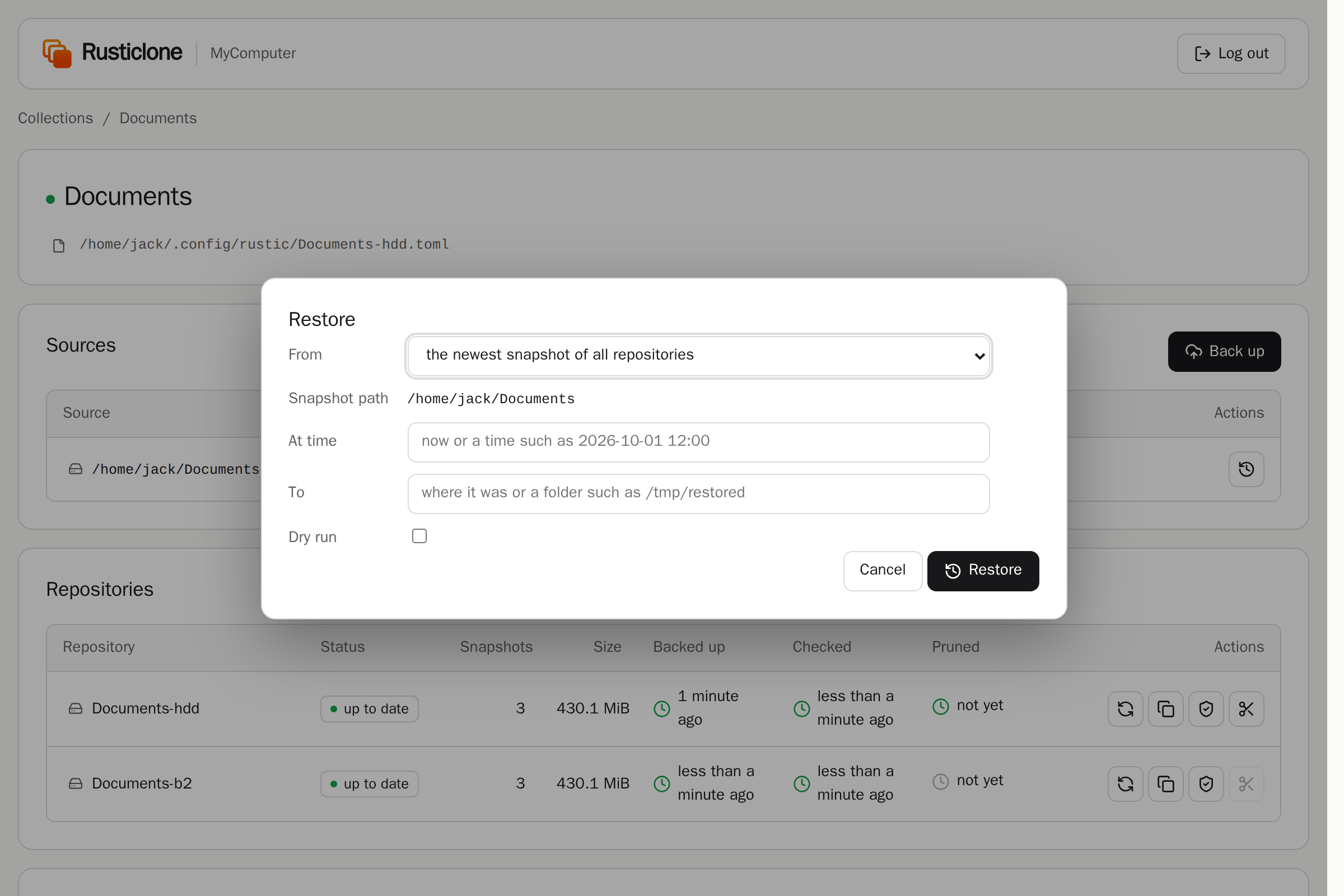
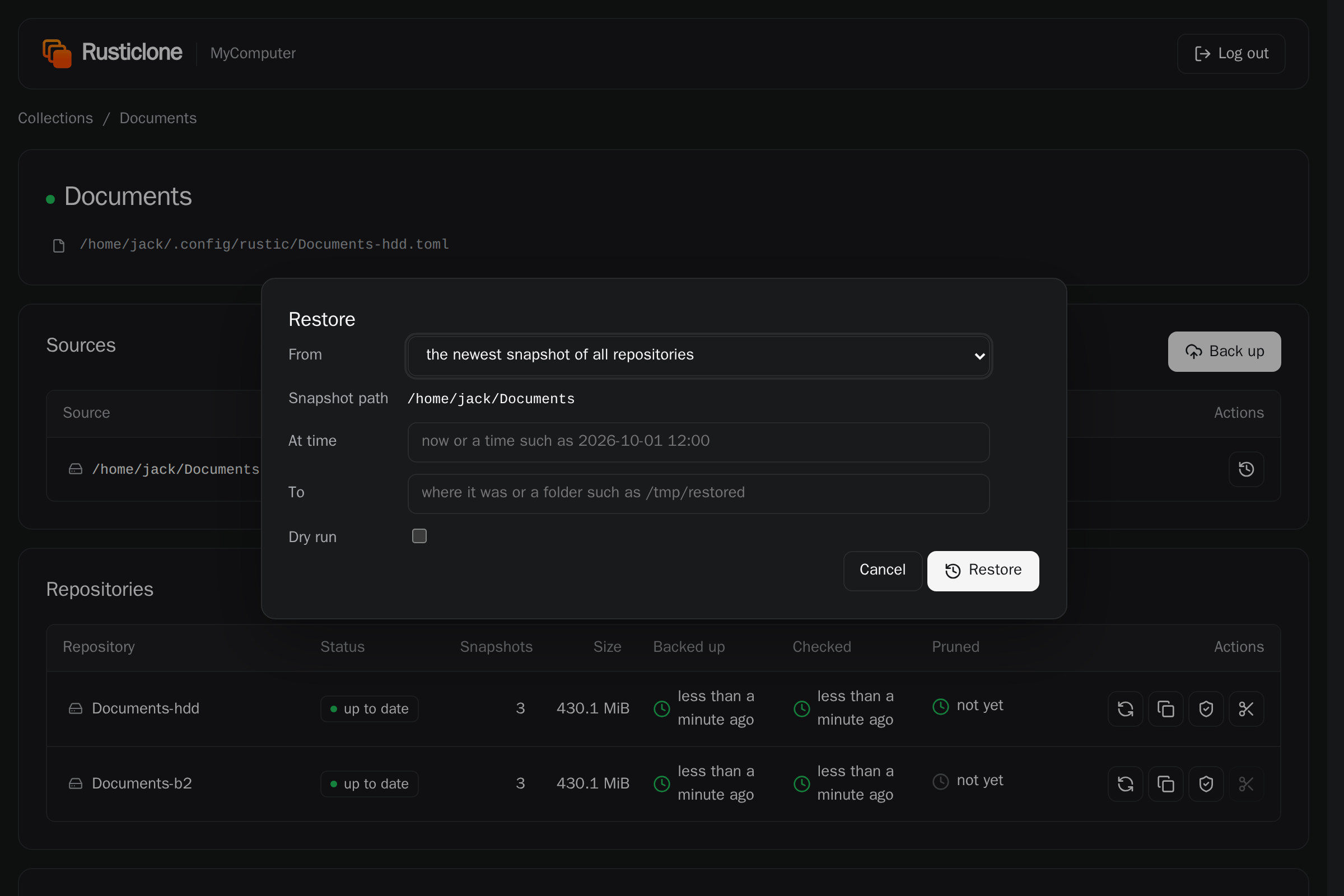
The web UI offers the same options:
Resuming backups after disaster recovery
After a disaster recovery, re-create the primary backup repository from an existing copy repository, never with a backup operation.
If the primary repository is lost too, a plain rusticlone restore --all or rusticlone restore --collection NAME does this for you: it re-creates the primary from an available copy target (e.g. Documents-b2), then extracts the files to their original location, so you only download once.
The reason is the chunker: a fresh repository created by a backup gets a random chunker polynomial, incompatible with the existing copy targets. Snapshots would succeed, but copies to the targets would fail with a chunker polynomial mismatch. A rustic profile cannot set the chunker polynomial (source).
To re-create a compatible primary repository from an existing copy target (or vice-versa) by hand, run:
rusticlone recreate --repo Documents-hdd
Web UI
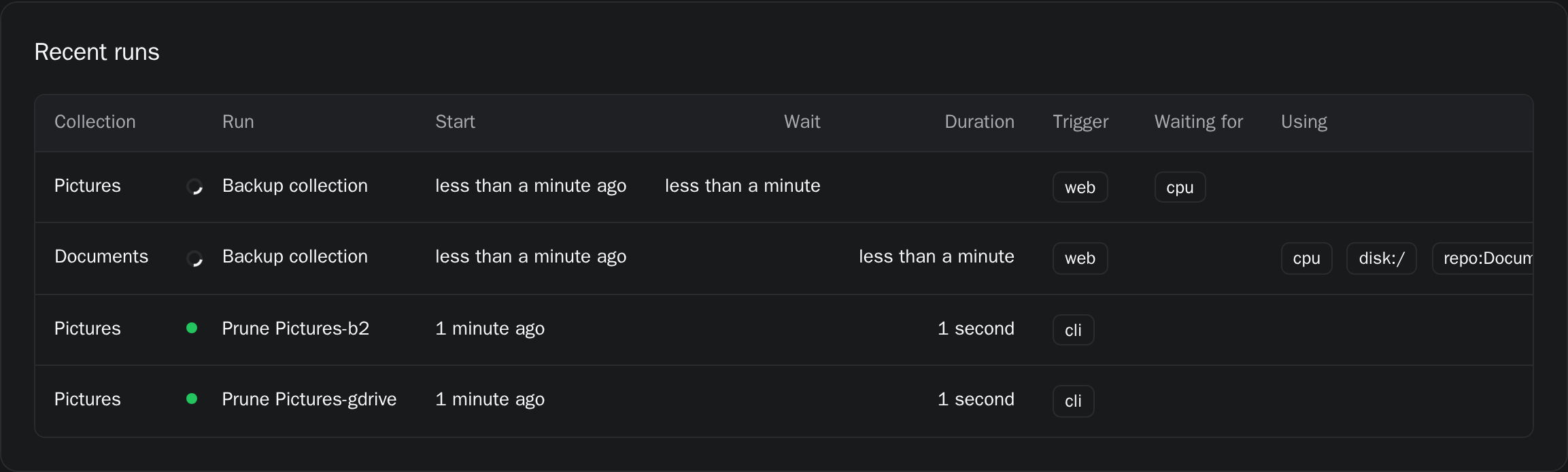
rusticlone serve shows the status of your collections, live progress and logs.
From there you can start and stop runs, browse and download snapshots, compare them, and restore files or folders.
If RUSTICLONE_LISTEN is not set, the server will listen on localhost on port 32110.
If RUSTICLONE_ADMIN_TOKEN is not set, the server generates a random token in the state folder.
Desktop
To access the web UI, open the desktop app, use the tray icon or run rusticlone serve --open.
This way, the token will be automatically passed to the login page and you won’t need to enter it manually.
Remote server
If you want to expose Rusticlone behind a reverse proxy, you have two options:
- authenticate the reverse proxy as admin by passing the admin token itself on every request, then handle authentication/SSO via the reverse proxy
- expose the app normally and have users enter the token manually
See packaging/nginx.conf for an example nginx configuration.
Without a public IP address or open ports on your router you can use a VPN like Tailscale or a reverse tunneling service like Cloudflare Tunnel:
cloudflared tunnel run --url http://localhost:32110 my-backups
Metrics
Most endpoints are meant to be used internally by the built-in htmx-based UI, and require an admin token.
Some can be accessed via a separate RUSTICLONE_METRICS_TOKEN:
/metricsexposes Prometheus metrics/statusexposes the same output asrusticlone collections --json/healthcan be used for the container health check, and doesn’t need a token at all
Smartphones
Rusticlone doesn’t have a mobile app, but it can back up their files once they reach a desktop or server:
- Android: sync the folders you care about with Syncthing
- iPhone: sync folders with Möbius Sync, or turn on “Download Originals” for iCloud Photos on a Mac or Windows computer
- Photos from both: upload them to a self-hosted Immich server
Then back up the folder where they land, creating a new profile:
Mobile-hdd.toml
[[backup.snapshots]]
sources = ["/home/jack/Sync/Mobile"]

[repository]
repository = "/mnt/hdd/backups/Mobile"
password = "XXXXXX"

[global.env]
RUSTICLONE_BACKUP_CRON="@daily"
To check on your backups from your smartphone on the same network:
- Set
RUSTICLONE_LISTEN=0.0.0.0:32110in the configuration file, then restart Rusticlone - Open
http://<computer ip address>:32110on the phone and log in with the admin token (see Web UI) - Add the page to the home screen, where it opens as a progressive web app (PWA) in its own window
To see backups from another network, see remote server for a reverse proxy or Cloudflare Tunnel setup.
Container image
To use the container image, mount your rustic profiles, Rusticlone’s state, the files you want to back up and their backup destination.
Set TZ to your time zone, so that schedules such as @daily follow your clock rather than UTC.
For the Documents collection above:
mkdir -p rustic/{profiles,state}
docker run \
  -e RUSTICLONE_ADMIN_TOKEN=XXXXXX \
  -e TZ=Europe/Berlin \
  -p 32110:32110 \
  -v $PWD/rustic/profiles:/etc/rustic \
  -v $PWD/rustic/state:/var/lib/rusticlone \
  -v /home/jack/Documents:/home/jack/Documents \
  -v /mnt/hdd/backups:/mnt/hdd/backups \
  ghcr.io/alphajack/rusticlone:latest
You can then access the web UI from port 32110.
Nix
The flake’s modules take your rustic profiles as Nix, keep them read-only, and start the server with rustic and rclone:
# flake.nix
inputs.rusticlone.url = "github:AlphaJack/rusticlone";
NixOS
The NixOS module writes the profiles to /etc/rustic and runs the server as root.
On macOS, nix-darwin’s inputs.rusticlone.darwinModules.default does the same.
imports = [ inputs.rusticlone.nixosModules.default ];
# profile 1: secret passed via file
programs.rustic.profiles.Documents-hdd = {
  backup.snapshots = [ { sources = [ "/home/jack/Documents" ]; } ];
  repository = {
    repository = "/mnt/hdd/backups/Documents";
    password-file = config.sops.secrets.documents.path;
  };
  copy.targets = [ "Documents-b2" ];
  forget = { keep-last = 10; keep-daily = 7; keep-monthly = 12; };
  global.env = {
    RUSTICLONE_BACKUP_CRON = "@daily";
    RUSTICLONE_CHECK_CRON = "@weekly";
    RUSTICLONE_CHECK_SUBSETS = "4";
    RUSTICLONE_PRUNE_CRON = "@monthly";
  };
};
# profile 2: secrets in toml
programs.rustic.profileFiles.Documents-b2 = config.sops.templates."Documents-b2.toml".path;
services.rusticlone = {
  enable = true;
  # RUSTICLONE_ADMIN_TOKEN and RUSTICLONE_METRICS_TOKEN
  environmentFile = config.sops.secrets.rusticlone.path;
};
To restore, run sudo rusticlone restore with the flags you need or use the web UI.
After a disaster, reinstall NixOS and run sudo rusticlone restore --all to bring back the files.
Home Manager
The Home Manager module writes the profiles to the unprivileged folder and runs the server as your user at login with its tray icon.
It takes the same programs.rustic and services.rusticlone options:
imports = [ inputs.rusticlone.homeModules.default ];
Restore with rusticlone restore without sudo.
macOS grants Full Disk Access to an executable by its path, so you need to grant it again to the new rusticlone afterwards.
Commands
The same help as rusticlone --help, and --help after each command.
Options of every command
--json: Log JSON lines-v, --verbose: Also print the rustic log that every run saves
rusticlone due
Run what is due and exit, for cron: scheduled backups, pending or failed copies, scheduled prunes and checks
-a, --all: Every collection-c, --collection <COLLECTION>: All repositories of the collection with this name or backup profile--dry-run: Show what the command does without doing or recording it-r, --repo <PROFILE>: The repository with this profile: a collection’s primary or a copy target
rusticlone backup
Back up a collection, copy it to its copy targets and forget old snapshots
-a, --all: Every collection-c, --collection <COLLECTION>: All repositories of the collection with this name or backup profile--dry-run: Show what the command does without doing or recording it
rusticlone copy
Copy missing snapshots from the primary to the copy targets and forget old snapshots
-a, --all: Every collection-c, --collection <COLLECTION>: All repositories of the collection with this name or backup profile--dry-run: Show what the command does without doing or recording it-r, --repo <PROFILE>: The repository with this profile: a collection’s primary or a copy target
rusticlone prune
Prune the repositories
-a, --all: Every collection-c, --collection <COLLECTION>: All repositories of the collection with this name or backup profile--dry-run: Show what the command does without doing or recording it-r, --repo <PROFILE>: The repository with this profile: a collection’s primary or a copy target
rusticlone check
Check the repositories: read the next subset of their data or only their structure
-a, --all: Every collection-c, --collection <COLLECTION>: All repositories of the collection with this name or backup profile--dry-run: Show what the command does without doing or recording it-r, --repo <PROFILE>: The repository with this profile: a collection’s primary or a copy target
rusticlone restore
Restore the sources from –repo or from the repository with the newest snapshots
-a, --all: Every collection-c, --collection <COLLECTION>: All repositories of the collection with this name or backup profile--dry-run: Show what the restore would write where. Without other options, read the snapshots and count what a restore in place creates, replaces and keeps-r, --repo <PROFILE>: The repository with this profile: a collection’s primary or a copy target--at-time <TIME>: The newest snapshots taken at or before TIME (2026-10-01, “2026-10-01 12:00”)--snapshot <ID>: This snapshot of the –repo repository (default: the primary)--to <DIR>: Restore into DIR. A –snapshot-path goes under its name. Each source goes under its full path--missing: Only missing or empty paths. Never a mount point whose device is missing--source <PATH>: Only the source with this path (default: every source)--snapshot-path <PATH>: Only this path of the snapshot
rusticlone recreate
Copy a missing repository back: the primary from its newest target, a target from the primary
-a, --all: Every collection-c, --collection <COLLECTION>: All repositories of the collection with this name or backup profile--dry-run: Show what the command does without doing or recording it-r, --repo <PROFILE>: The repository with this profile: a collection’s primary or a copy target--from <PROFILE>: Copy from this profile instead. For the primary: a copy target. For a target: the primary or another target
rusticlone notify
Send each collection’s status to its notification URLs now, to test them
-a, --all: Every collection-c, --collection <COLLECTION>: All repositories of the collection with this name or backup profile--dry-run: Show what the command does without doing or recording it-r, --repo <PROFILE>: The repository with this profile: a collection’s primary or a copy target
rusticlone collections
Show every collection, or the ones named: sources, repositories, schedules, last runs and issues
-a, --all: Every collection-c, --collection <COLLECTION>: All repositories of the collection with this name or backup profile--dry-run: Show what the command does without doing or recording it-r, --repo <PROFILE>: The repository with this profile: a collection’s primary or a copy target--refresh: List the repositories first: their snapshots, sizes and how far the copies are behind
rusticlone serve
Start each run when it is due and serve the web UI
--open: Open the web UI in the browser and log in
rusticlone install
Start the server now and at each login
--auto-update: Also turn on automatic updates in rusticlone.env: at each start, the server updates rusticlone and the rustic it is tested with, after checking their checksums and GitHub attestations
rusticlone uninstall
Stop the server and no longer start it at login
--delete: Also delete the state folder: the runs and the login token. The profiles and the repositories stay
rusticlone update
Replace this executable with a newer release, if there is one
--dry-run: Only show whether a newer release exists
rusticlone healthcheck
Exit 0 if the server answers (a container healthcheck)
Settings
The environment and the configuration file are read at start: restart rusticlone after editing them. The others are read from the [global.env] of rustic profiles at each run.
| Variable | Read from | Default | What it does |
|---|---|---|---|
RUSTICLONE_ADMIN_TOKEN | The environment, the configuration file or the file that <VARIABLE>_FILE names | Token for the web UI | |
RUSTICLONE_AUTO_UPDATE | The environment or the configuration file | false | Update rusticlone and the rustic at each restart |
RUSTICLONE_BACKUP_CRON | The backup profile | Backup schedule (cron expression, @daily…) | |
RUSTICLONE_CHECK_CRON | The repository’s profile, then the backup profile | Check schedule of the repository | |
RUSTICLONE_CHECK_SUBSETS | The repository’s profile, then the backup profile | 10 | Data each check reads. N reads the next of N subsets (--read-data-subset n/N). 5%, 2GiB or all reads that much at random. 0 reads the structure only |
RUSTICLONE_KEEP_AWAKE | The environment or the configuration file | true | Keep the computer from sleeping while a run goes on |
RUSTICLONE_LISTEN | The environment or the configuration file | 127.0.0.1:32110 | Web UI address |
RUSTICLONE_METRICS_TOKEN | The environment, the configuration file or the file that <VARIABLE>_FILE names | Token for Prometheus and other monitors, to send as Authorization: Bearer | |
RUSTICLONE_NOTIFY_URLS | The backup profile | Notification URLs (Mercurio) for when a collection’s status changes | |
RUSTICLONE_PRUNE_CRON | The repository’s profile, then the backup profile | Prune schedule of the repository | |
RUSTICLONE_RUSTIC_BIN | The environment or the configuration file | Location of the rustic executable | |
RUSTICLONE_SKIP_ON_BATTERY | The environment or the configuration file | false | Wait for the power cable before scheduled runs, on a laptop running on battery |
RUSTICLONE_SKIP_ON_METERED | The environment or the configuration file | false | Wait for an unmetered network before scheduled runs |
RUSTICLONE_STALL_TIMEOUT | The environment or the configuration file | 1h | Time to wait before stopping an unresponsive rustic command |
RUSTICLONE_STATE_DIR | The environment or the configuration file | Folder for the database and resource locks |
Folders
Configuration file
rusticlone install creates it. Rusticlone reads it at start: restart Rusticlone after editing it.
| OS | regular user | root / SYSTEM |
|---|---|---|
| Linux | $HOME/.config/rusticlone/rusticlone.env | /etc/rusticlone/rusticlone.env |
| macOS | $HOME/Library/Application Support/rusticlone/rusticlone.env | /etc/rusticlone/rusticlone.env |
| Windows | %APPDATA%\rusticlone\config\rusticlone.env | %PROGRAMDATA%\rusticlone\config\rusticlone.env |
Profiles
Rusticlone looks for profiles in the same folders as rustic:
| OS | regular user | root / SYSTEM |
|---|---|---|
| Linux | $HOME/.config/rustic | /root/.config/rustic/etc/rustic |
| macOS | $HOME/Library/Application Support/rustic | /var/root/Library/Application Support/rustic/etc/rustic |
| Windows | %APPDATA%\rustic\config | %WINDIR%\System32\config\systemprofile\AppData\Roaming\rustic\config%PROGRAMDATA%\rustic\config |
Profiles in the working directory are also considered, so it’s easy to run one-off commands without moving files.
State
Rusticlone state is meant to be disposable, as the source of truth for your backups remains your repositories. CLI and server both write to the same shared folder, by default:
| OS | regular user | root / SYSTEM |
|---|---|---|
| Linux | $HOME/.local/state/rusticlone | /var/lib/rusticlone |
| macOS | $HOME/Library/Application Support/rusticlone | /Library/Application Support/rusticlone |
| Windows | %LOCALAPPDATA%\rusticlone | %PROGRAMDATA%\rusticlone\state |
There you can find rustic logs, process locks and a redb database with historical run details and repository statistics.